
How do I create a party and invite a friend?
Open the party window, create a named group and invite your friend's character. Before hunting together, agree on the sharing settings. This guide follows the American server's Party System & Party Buff documentation; other regional versions can differ.
Check Basic Skill and open the window
The dedicated party guide requires Basic Skill Level 7 to create a party and Basic Skill Level 5 to join one. These are skill requirements, so check the character's Basic Skill if a new character cannot form or join the group.
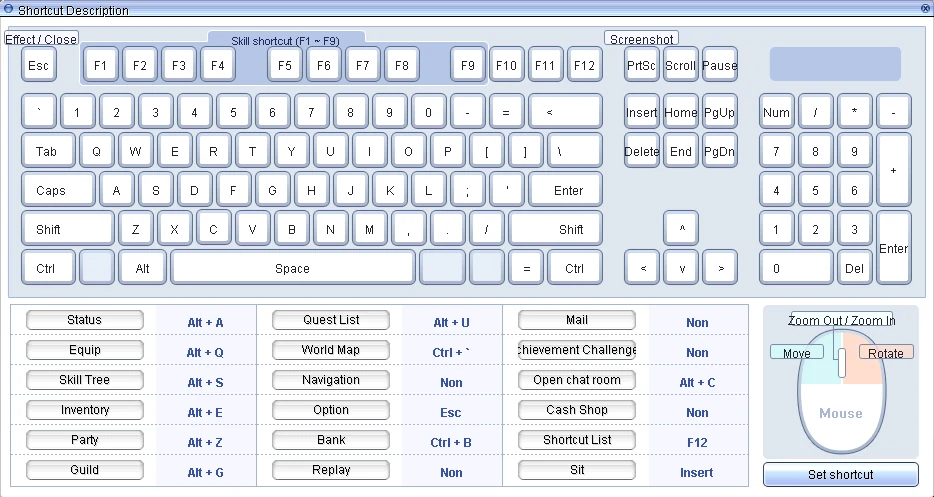
The official shortcut reference lists Alt + Z for the party window. You can also inspect Shortcut Description through the Quick Menu at the top left of the screen if your bindings differ.
Name the group and send the invitation
Select Create Party and enter a name. Alternatively, enter /organize "name of party" in chat, replacing the example with your chosen name. The creator becomes the party leader.
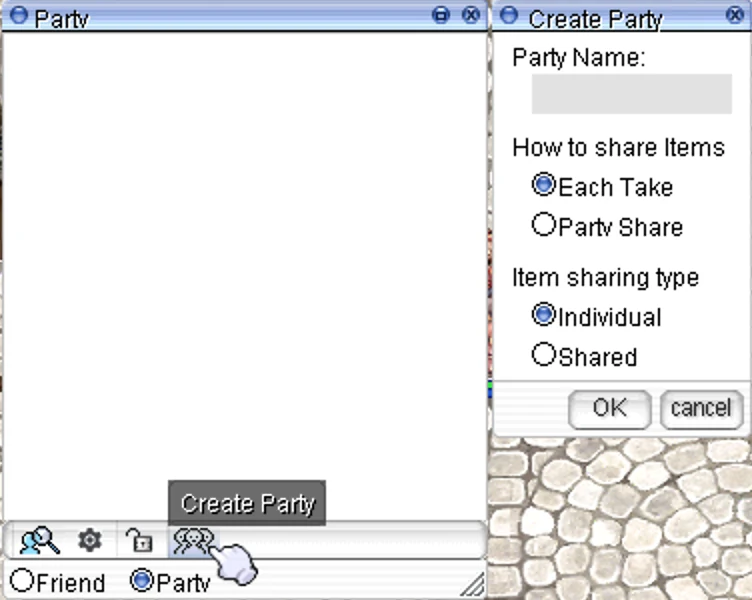
As leader, use Party Invitation in the party interface and enter the friend's character name. The documented command alternative is /invite "name of player". Check the character name carefully so the invitation reaches the person you intend.
A party can contain up to twelve players. Begin with the friends who are ready to play, then confirm that the intended characters appear in the group before traveling to your hunting area.
Agree on sharing before fighting
Review the item-sharing options together. The official guide states that VIP players can share items with other VIP party members. Non-VIP players keep items they pick up even when the group is configured for item sharing. Do not promise automatic redistribution to a mixed group.
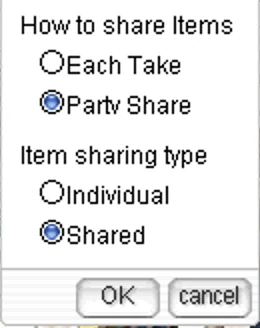
EXP sharing also affects Stamina consumption. With sharing enabled, members who gain at least one EXP from a kill lose one Stamina. Without EXP sharing, the guide says only the player defeating the monster loses Stamina. Decide which setup the group wants before starting.
For party-only messages, the Basic Control guide documents a % prefix or Ctrl + Enter. Use party chat to agree on a meeting point and tell everyone when you are ready.
Screenshots come from Ragnarok Landverse America's official documentation. Features can change, so check the game for current details.
Next step: Review the official party instructions with your group and set the sharing options before your first hunt.


